Preventive maintenance: plans that generate tasks by themselves
Preventive maintenance lives or dies by discipline: tasks must be created on time even when the team is buried in breakdowns. MaintenanceDesk takes the scheduling over — set up a plan once and tickets are generated automatically from then on.
A maintenance plan is a prescription, not a reminder
For each device (or group) you define what should be done and how often — a weekly check, a quarterly service, an annual inspection. At the right time the system automatically generates a maintenance ticket linked to the device with the task description.
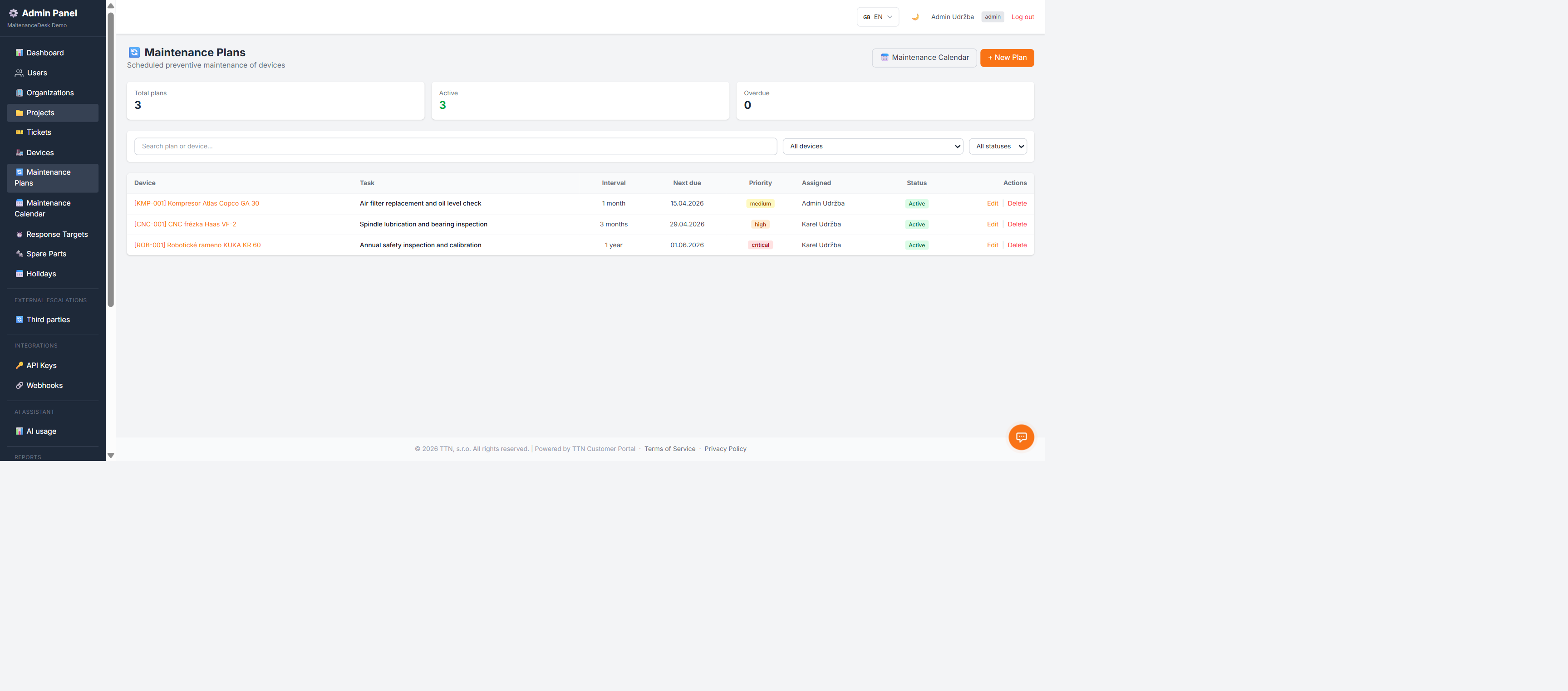
The plan overview shows which plans are active and which are overdue — slippage is visible at a glance, not first noticed as a breakdown.
Creating a plan
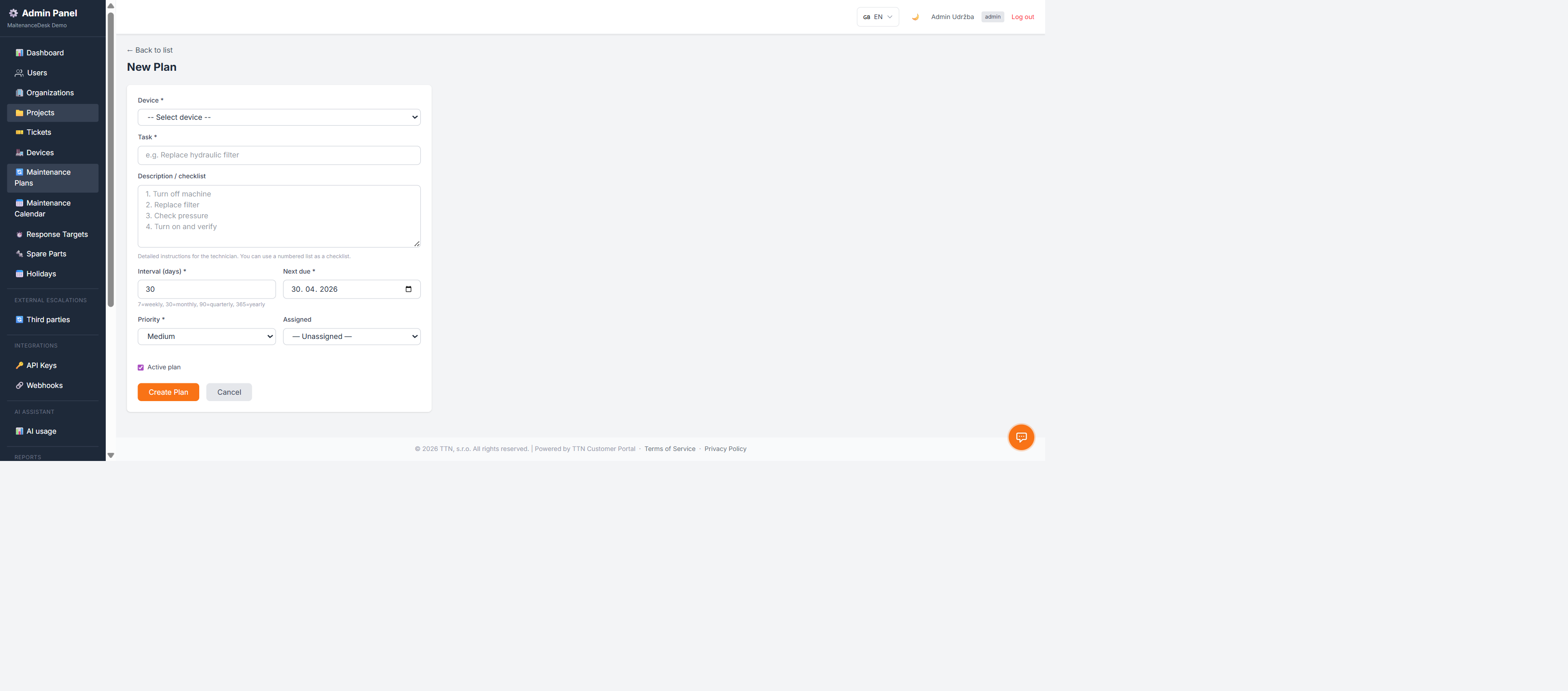
A plan carries a name, a device, an interval and a work description. From that moment, generating tasks is the system's job.
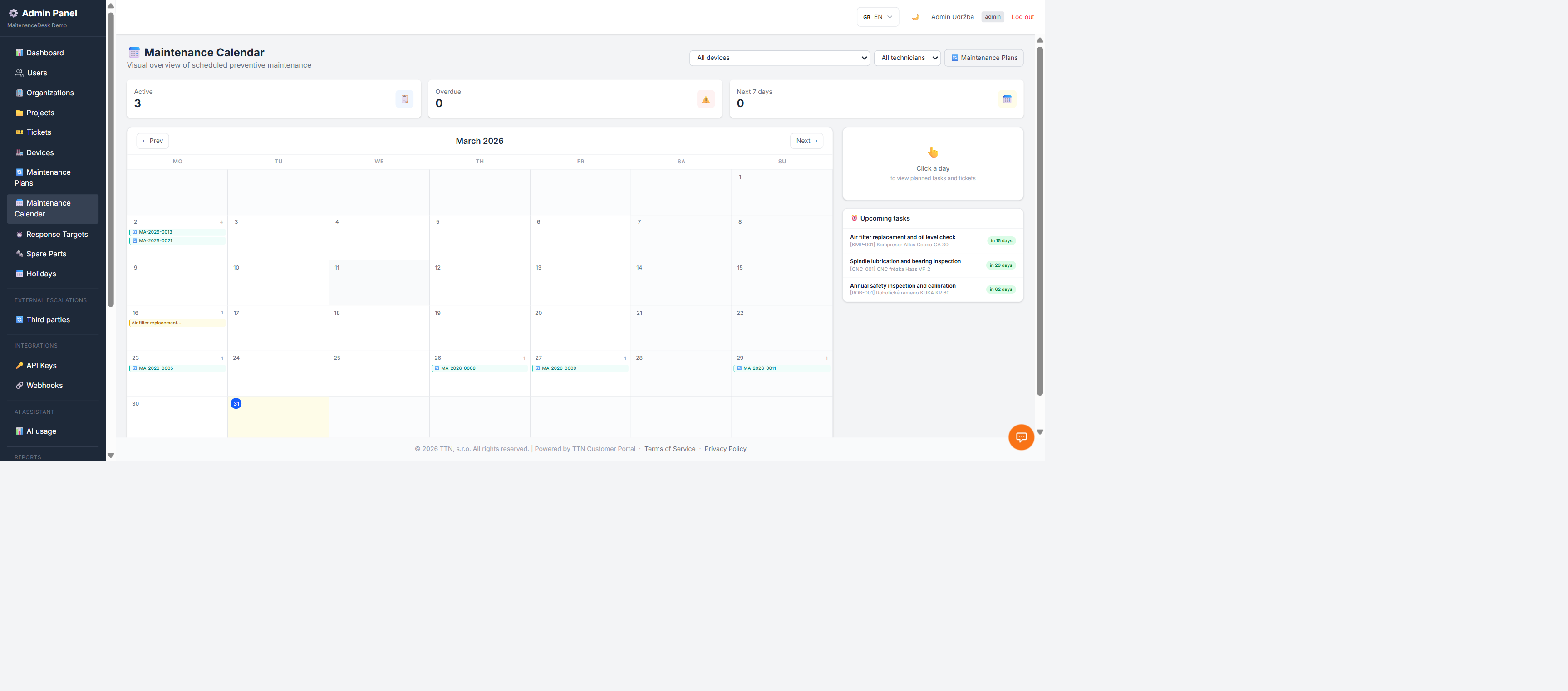
Maintenance calendar
All scheduled tasks appear in a calendar — a month ahead as well as a single-day detail. You plan maintenance capacity by the real distribution of work.
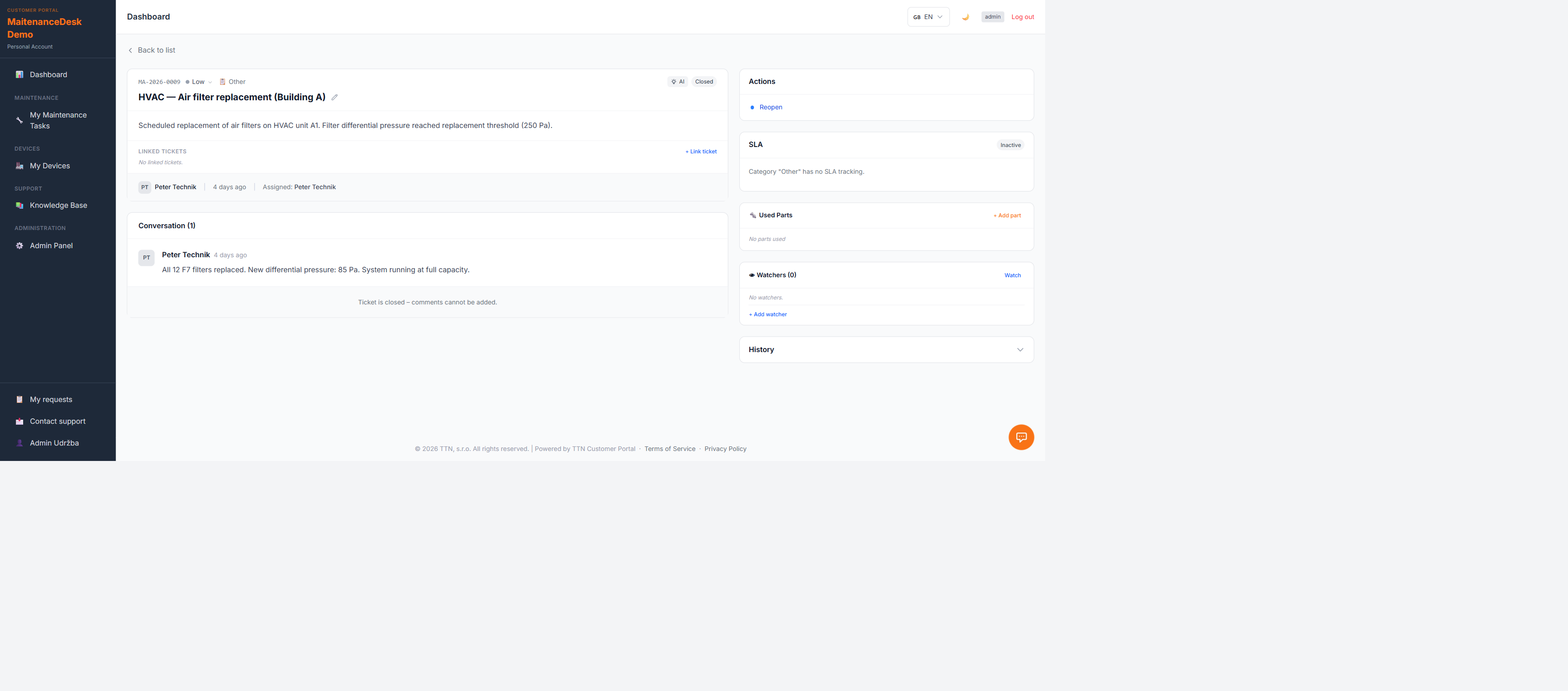
The generated ticket
A task from a plan is a regular maintenance ticket: it has an assignee, a status and a history, and once completed it counts into device metrics — the share of planned versus unplanned work is part of your live overview.
Why preventive maintenance with plans
- Nothing slips — task generation doesn't depend on human memory
- Delays are visible immediately — "overdue" shows up before it turns into a breakdown
- History stays with the device — every completed maintenance remains in the device passport
- Measurability — the planned-to-unplanned work ratio shows whether prevention works
Start for free
The Free plan lets you try preventive maintenance plans without a credit card — just add your first device.